Service Accounts
A service account is a machine identity owned by an organization. It exists for one purpose: to hold API tokens that keep working when people come and go.
Without one, automation runs on a token owned by a person. When that person is disabled or leaves, every token they created stops working — and the failure surfaces as HTTP 401: Invalid or expired token, which points at the token rather than at the account behind it. A pipeline that has run green for months fails, and the message sends you looking in the wrong place.
A service account removes that failure mode. It belongs to the organization, not to whoever happened to set CI up.
Organization owners only. Every page in this guide is restricted to owners of the organization. Members do not see these screens.
What a service account can and cannot do
It cannot sign in. There is no password, no SSH key, and no single sign-on link. It has an address — <name>@<org>.service.invalid — but that address is deliberately unroutable (.invalid is a reserved domain that cannot exist on the internet). The address exists only so the account has a unique identity; nothing is ever delivered to it, and no one can log in as it.
It cannot be disabled, removed, or promoted. Isurus refuses to deactivate a service account, remove it from its organization, or change its role. This is the whole point: the ways a human identity normally goes away are exactly the ways CI used to break.
It is a normal member of its organization. That is what lets it read and write repositories at all — it passes the same permission checks as any other member. It is never an owner.
Its reach is limited by its tokens, not by the account. The account can see the whole organization; each token it holds is bound to either one repository or the whole organization. Binding is the confinement, so bind CI tokens to a single repository.
A service account also does not consume a licensed seat, does not appear in active-user counts, and cannot be assigned to issues. It does appear in your organization's member list, labelled as a service account, so an identity that can write to your repositories is never hidden from you.
Creating a service account
Go to Organization Settings → Integration → Service accounts.
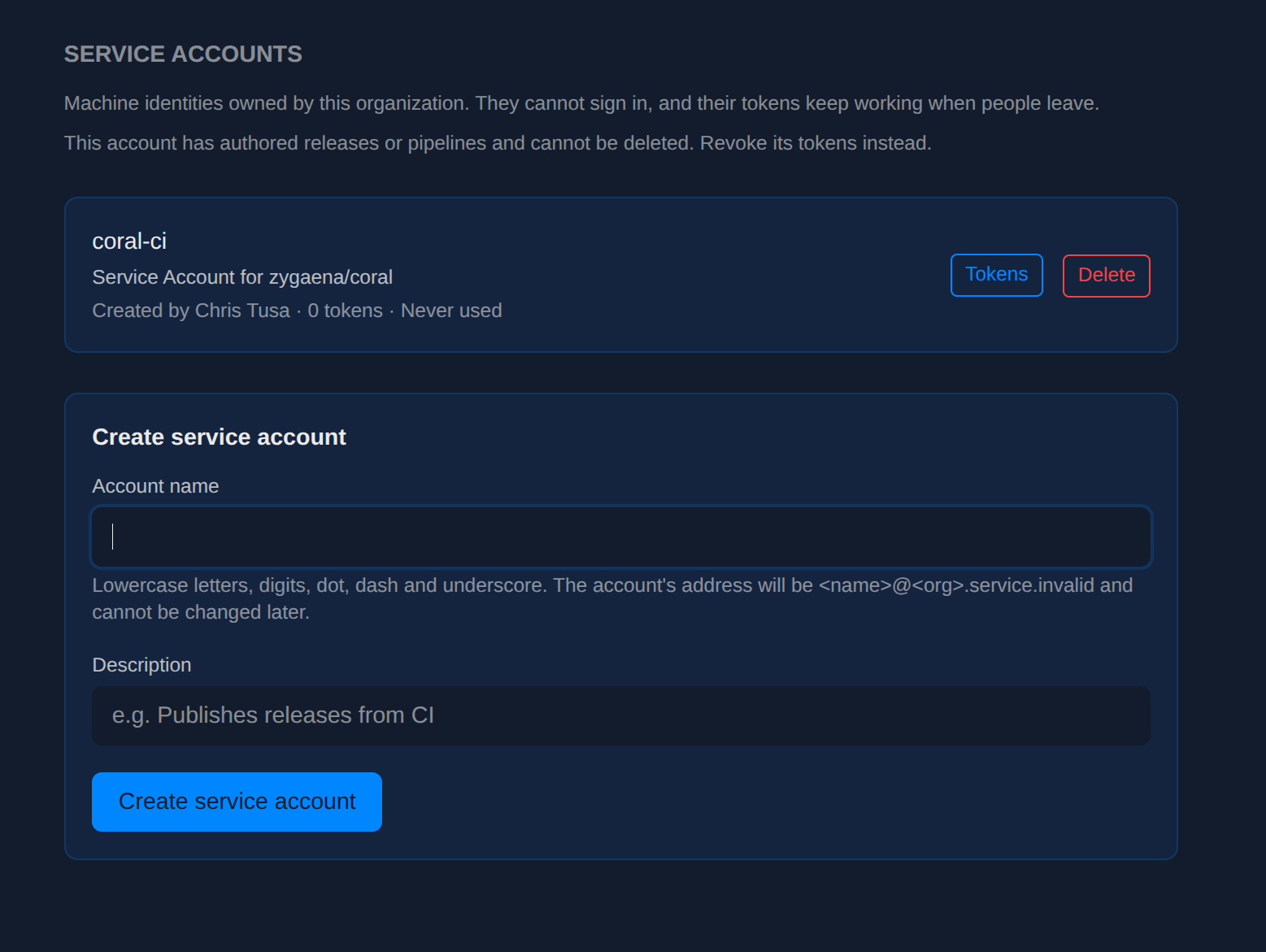
Fill in:
- Account name — lowercase letters, digits, dot, dash and underscore. This becomes the local part of the account's address, so it is permanent: there is no rename. Pick something that names the job, like
coral-ciornightly-import. - Description — what the account is for. This is what someone reads in six months when they are deciding whether it is still needed.
The listing shows each account's description, who created it, how many tokens it holds, and when any of those tokens was last used — so a stale account is visible rather than merely suspected.
Creating a token for a service account
There are two routes, and the difference is which binding you need.
From a repository — the usual case
This is the path for CI, and it does the whole setup in one submit.
Go to the repository's Settings → Integration → Tokens.
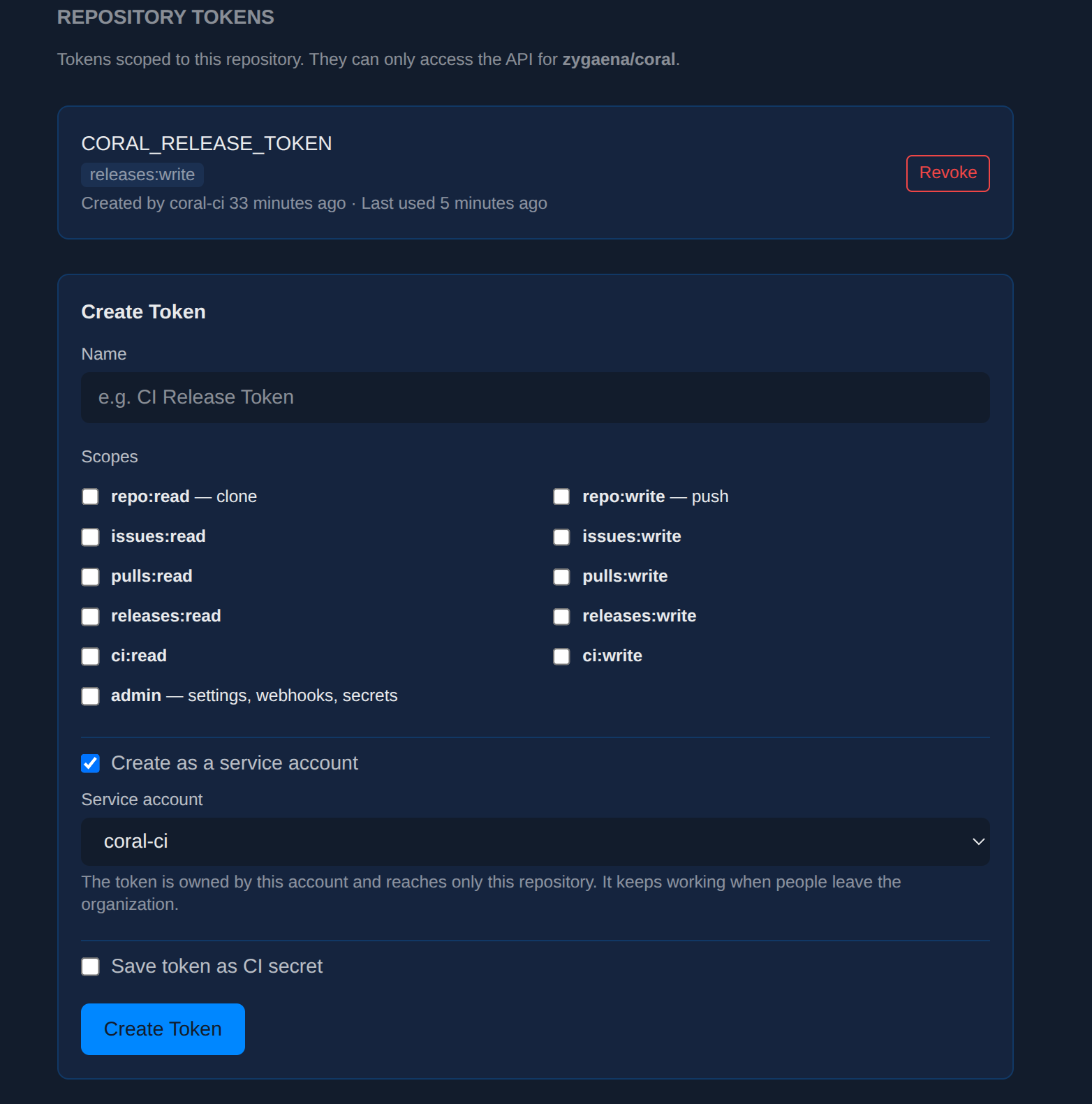
- Tick Create as a service account. A dropdown appears listing the organization's accounts.
- Choose the account.
- Tick the scopes the job actually needs — for a release pipeline, that is
releases:writeand nothing else. - Tick Save token as CI secret and give the secret a name, for example
CORAL_RELEASE_TOKEN. - Create Token.
The token is automatically bound to this repository, and the CI secret is created in the same step, so the plaintext never has to be copied by hand.
Do not tick
admin. Service accounts cannot hold theadminscope — it grants every permission, which defeats the point of a confined automation credential. The checkbox is still shown on this form, but a token that requests it will be refused.
If the organization has no service accounts yet, the dropdown is replaced by a link to create one.
From the account page — for organization-wide tokens
Go to Organization Settings → Integration → Service accounts, then Tokens on the account.
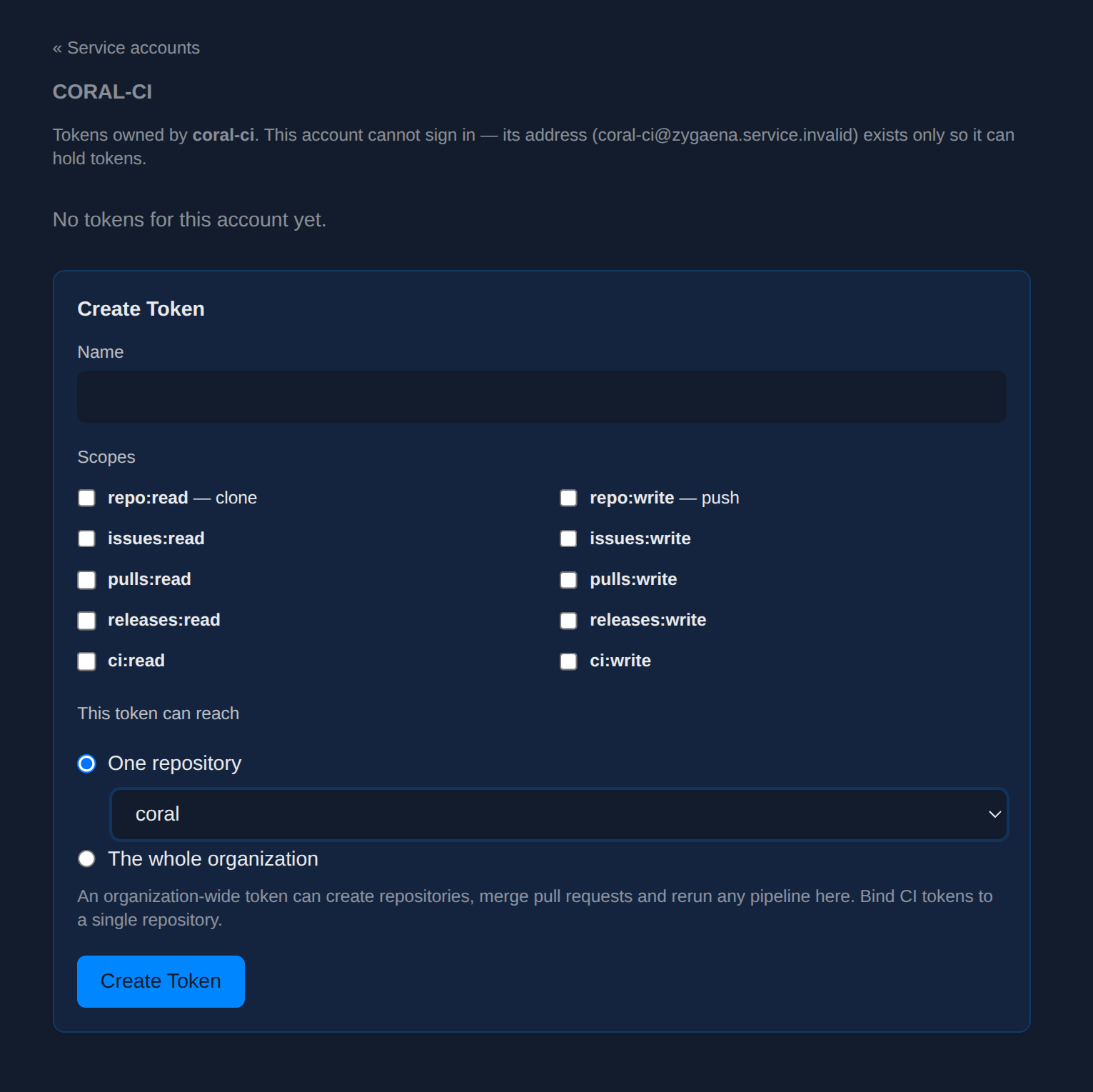
This page adds one control the repository form does not have: This token can reach, where you choose One repository or The whole organization.
An organization-wide token is a powerful credential. With write scopes it can create repositories, merge pull requests and rerun any pipeline in the organization. Use it only when a job genuinely spans repositories — a nightly task that touches every repo, for example. For anything scoped to one project, bind to that repository.
The account's token list shows each token's scopes and when it was last used, so an unused credential is easy to spot and revoke.
Moving existing automation onto a service account
If a pipeline currently runs on a token owned by a person, move it in this order. Do not revoke the old token first.
- Create the service account.
- Mint the new token from the repository form, with the same scopes the old one had, saved as a CI secret under the same secret name the pipeline already uses. This overwrites the secret's value, so the pipeline picks it up on its next run with no configuration change.
- Run the pipeline and confirm it succeeds. Check that the resulting release or artifact is attributed to the service account, not to the person — a green run only proves some token worked.
- Only now, revoke the old person-owned token from that person's Settings → Tokens.
- Run the pipeline once more to confirm nothing depended on the old token.
Steps 3 and 4 are in that order deliberately. If something about the new token is wrong, you want the old one still working while you find out.
Managing accounts over time
Revoking a token takes effect immediately, on the account page or the repository's token page. Revocation never depends on who created the token — any current organization owner can revoke any of the account's tokens.
Deleting an account removes it, its membership and all of its tokens. Isurus refuses the deletion if the account has authored releases, pipelines, issues or pull requests, because deleting it would leave that history without an author. Revoke its tokens instead — that neutralises the credential while leaving the record intact.
Deleting the organization removes its service accounts with it. An organization must already be empty of repositories before it can be deleted, so this only ever applies to accounts that have nothing left to author.
Troubleshooting
HTTP 401: Invalid or expired token — the token is unrecognised, revoked, or expired. Check it has not been revoked on the account page. If the token was owned by a person rather than a service account, check whether that person's account has been disabled; that is the failure this feature exists to prevent, and moving the job onto a service account fixes it permanently.
HTTP 401: Token owner account is disabled — the token is valid, but the account that owns it is deactivated. A service account cannot be deactivated, so this only happens on person-owned tokens.
HTTP 403: Token is not authorized for this resource — the token is bound to a different repository or organization than the one being addressed. Check the binding on the account's token page; a repository-bound token reaches only that repository.
"You are not permitted to create that token" — the request asked for something a service-account token may not have. The usual causes are the admin scope, or a repository that belongs to a different organization than the account.
The service account dropdown is empty — the organization has no service accounts yet, or you are not an owner of it. Only organization owners can create accounts or mint tokens for them.
See also
- CI/CD Guide — pipeline configuration, secrets, and release automation
- REST API Reference — authentication and token scopes